
Docs Hub
Docs Hub lets transportation businesses sign documents with clients digitally. To start using the service, please set up the contract template(s) first. Once the template is ready, you can paste the client's details and send the agreement for signature in minutes.
Setting up the template
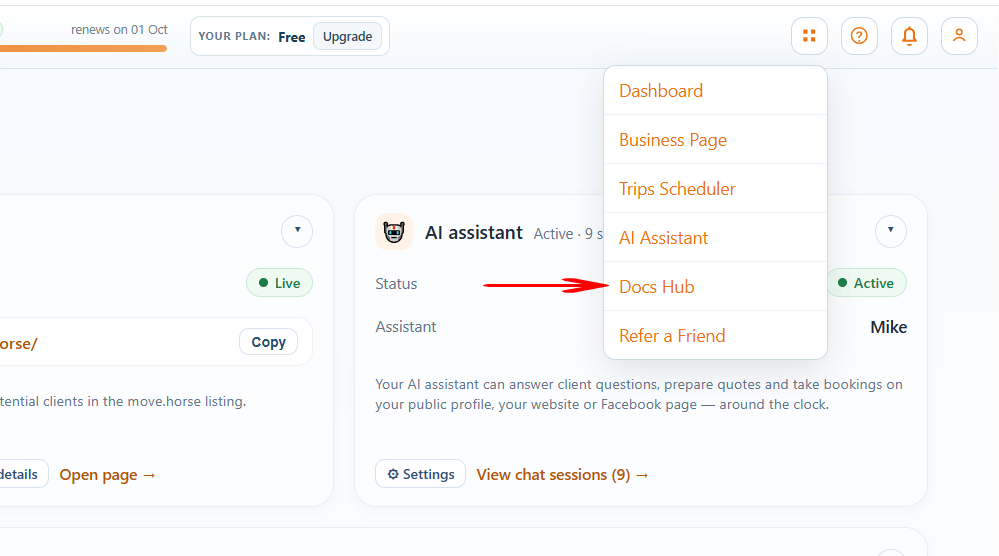
Step 1. In your business account, click the Tools icon and select the Docs Hub option.
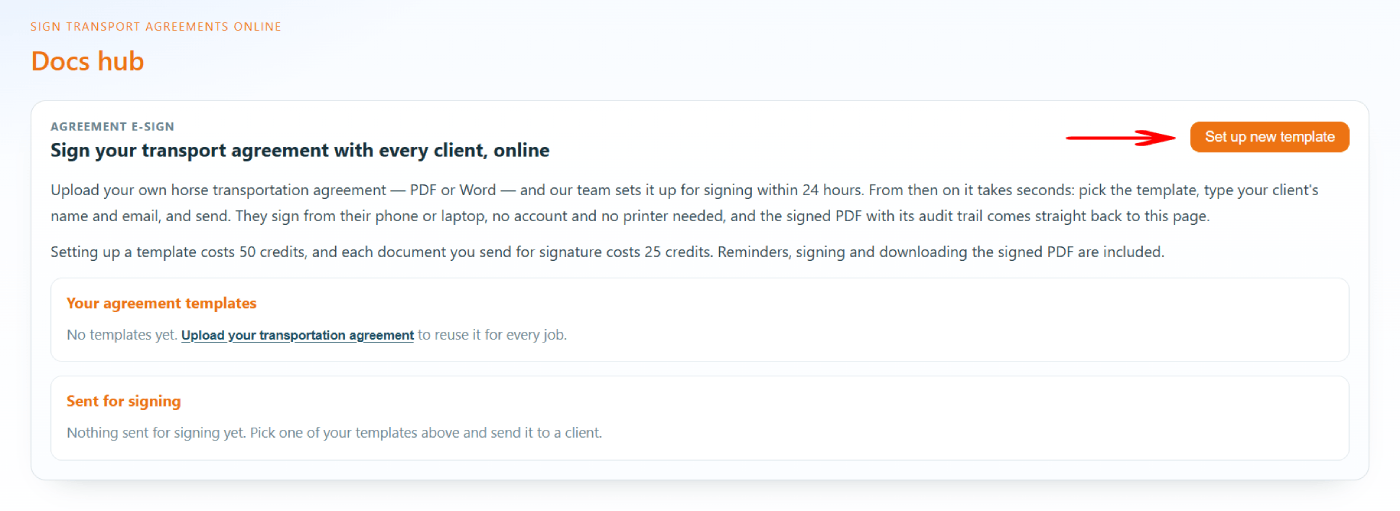
Step 2. Click the Set up new template button.
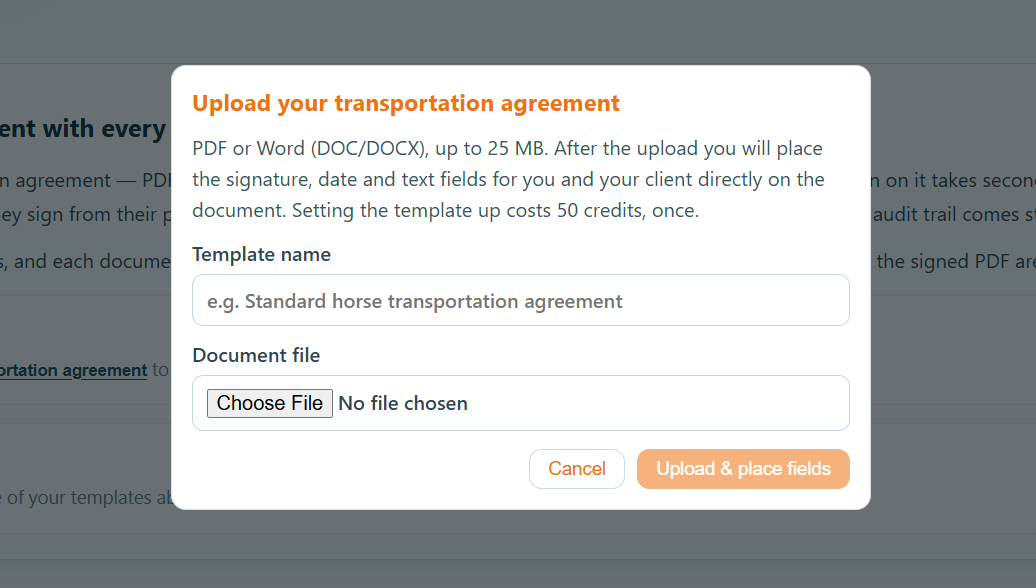
Step 3. Upload your document in PDF or Word format.
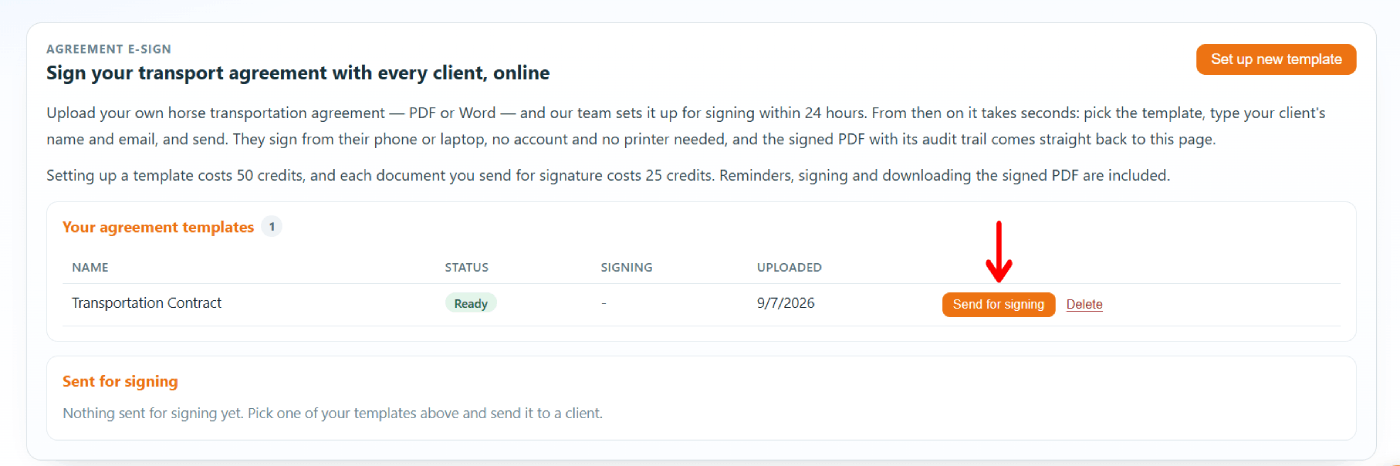
Step 4. Wait for up to 24 hours until your template is set up and ready for signing.
Signing the contract
Step 1. Once the template is ready to use, click the Send for signing button to send the contract to your client for signature.
Step 2. Fill in the client's details and other variable agreement details if needed.
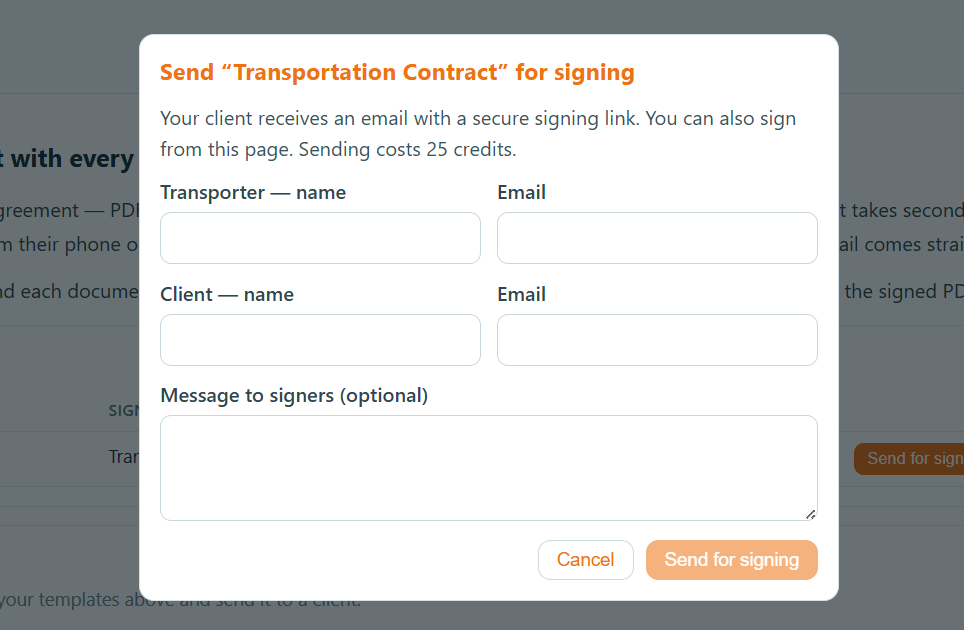
Step 3. The document will be emailed to the customer. You'll receive a notification once it is signed. The signed version will be available in your Docs Hub.